They’re in the Amazon listing details section on the book page. Open a book from your shelf, scroll the right column, and click the + next to Amazon listing details.
You get two blocks:
- Keywords: seven numbered phrases, one per KDP keyword field, in order. Each has a character counter (like 23/50) and its own Copy button, plus Copy all 7 at the top.
- Categories: a suggested Kindle store shelf (for example Kindle Store > Kindle eBooks > Mystery, Thriller & Suspense) with a View shelf on Amazon link.
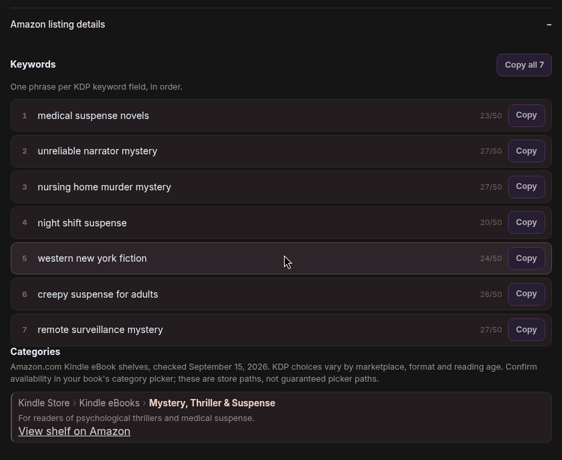
When I fill in KDP, I copy the keywords one row at a time straight into the seven boxes, so the order stays the same. The category is a store path, so I still pick the closest match in KDP’s own category picker.
Which keyword fields do you find hardest to fill?