A common mistake is rewriting a prompt from scratch when the exact one you used is still saved, word for word, at the bottom of every book page.
It’s in a row called Your original idea, not “Original prompt”, which is why it’s easy to miss.
How to get there:
- Open My Books and click the cover.
- Scroll to the bottom of the book panel, past the teaser video block.
- Click Your original idea. It expands into the full text, with a Copy prompt button.
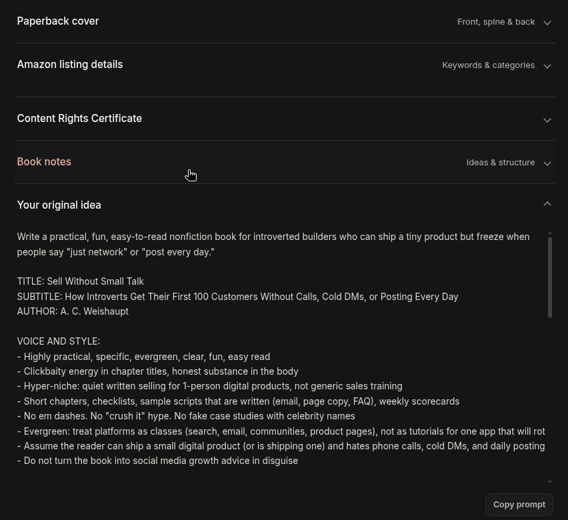
It sits right under Book notes, and above the Explore visibility section.
I use it all the time as a template. Copy it, change the title and two or three lines, and the voice and style rules carry over to the next book in the same niche.
Do you keep your prompts anywhere else, or just rely on this?