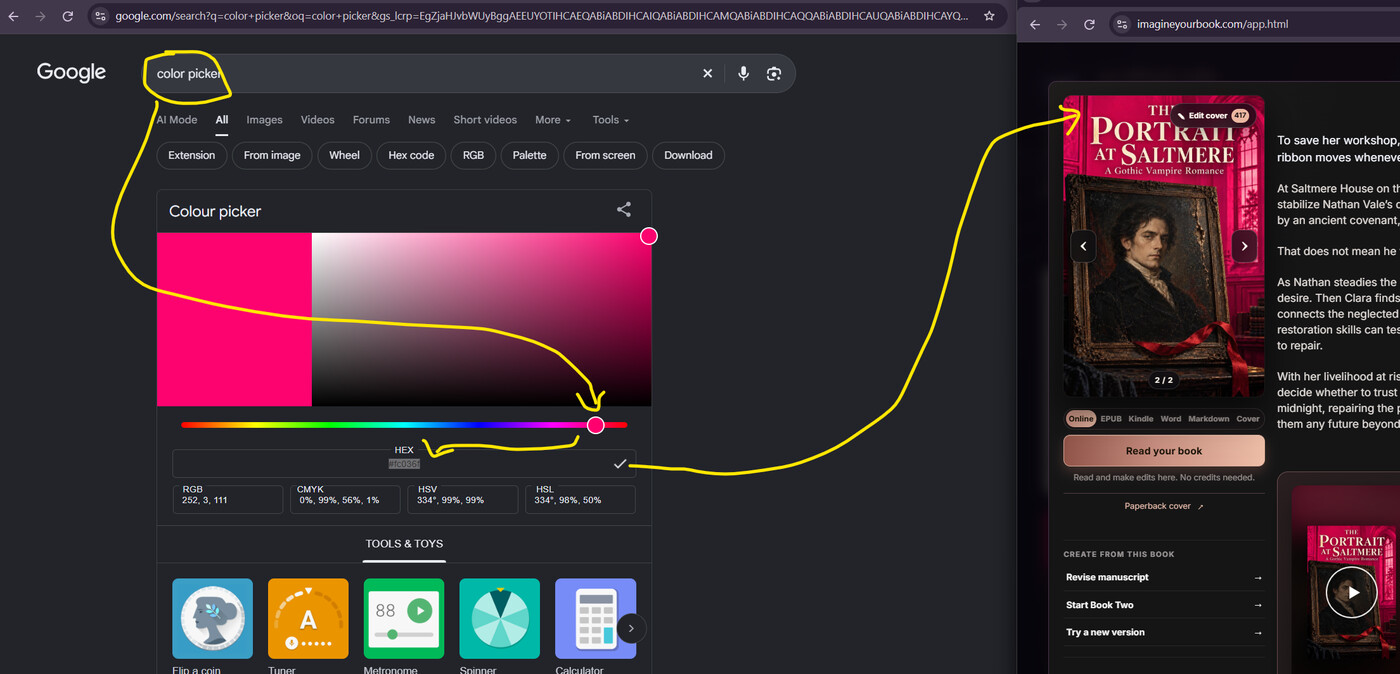
Naming a color like “burgundy” often lands on red, blue, or yellow instead. The cover editor listens better when you point it at the background and give an exact hex code.
Open your finished book, click Edit cover, leave Cover style on Edit current cover, and type your change in Your changes:

For a precise match, paste a hex code and say what to keep:
make the cover background this color: #fc036f
painting stays the same and title
Then hit Apply changes.

If you don’t have a hex code handy, Google “color picker”, copy the HEX value, and drop it into that same box.
Anyone else keep a little list of hex codes for a series?